


Searching for the best SEO plugin for WordPress is easy. Knowing which one is actually right for your situation is the harder part.
A blogger optimizing content needs something different from an agency managing 20 sites — and the right tool for fixing your metadata isn’t the same one you’d reach for if you’re running deep keyword gap analysis.
I’ve tested or actively used most of the tools on this list. What you’ll find below isn’t a generic inventory — it’s a specific “best for X” verdict for each one, so you can match the right tool to what you’re actually trying to do.
We ranked these based on hands-on testing, user reviews, functionality, and ease of use — with one guiding principle: we only recommend tools we’d actually use ourselves.
In This Article:
We’ve grouped the 16 tools into four categories based on what they actually do — on-page SEO plugins, analytics tools, keyword research platforms, and technical WordPress tools. Jump to the category that matches what you’re looking for, or read through all 16 for the complete picture.
The Best WordPress SEO Plugins
1. All in One SEO (AIOSEO) — Best All-in-One SEO Plugin
BEST FOR: WordPress site owners who want one plugin to handle all on-page SEO, sitemaps, schema, and local SEO without needing a developer
KEY FEATURES: TruSEO scoring, XML sitemaps, schema markup, internal link assistant, keyword rank tracking, Search Console integration, author SEO
PRICING: Free version available; paid plans from $49.60/year
FREE PLAN / TRIAL: Yes — free version available on WordPress.org
All in One SEO (AIOSEO) is our top pick because it covers more SEO ground than any other single plugin — without requiring a developer to make it work. With over 3 million users, it’s the most widely adopted SEO plugin in the WordPress ecosystem.
AIOSEO checks all the boxes for site-wide optimization:
- Advanced SEO for local businesses, eCommerce, and images
- On-page SEO analysis and recommendations with TruSEO scoring
- Internal link assistant to optimize your internal linking structure and surface new link opportunities
- Smart schema markup and XML sitemap generator
- Keyword rank tracking
- Author SEO
When you install AIOSEO, every page and post gets a TruSEO score once you enter a focus keyphrase. That score gives you a quick page analysis, flags potential SEO problems, and tells you exactly how to fix them.
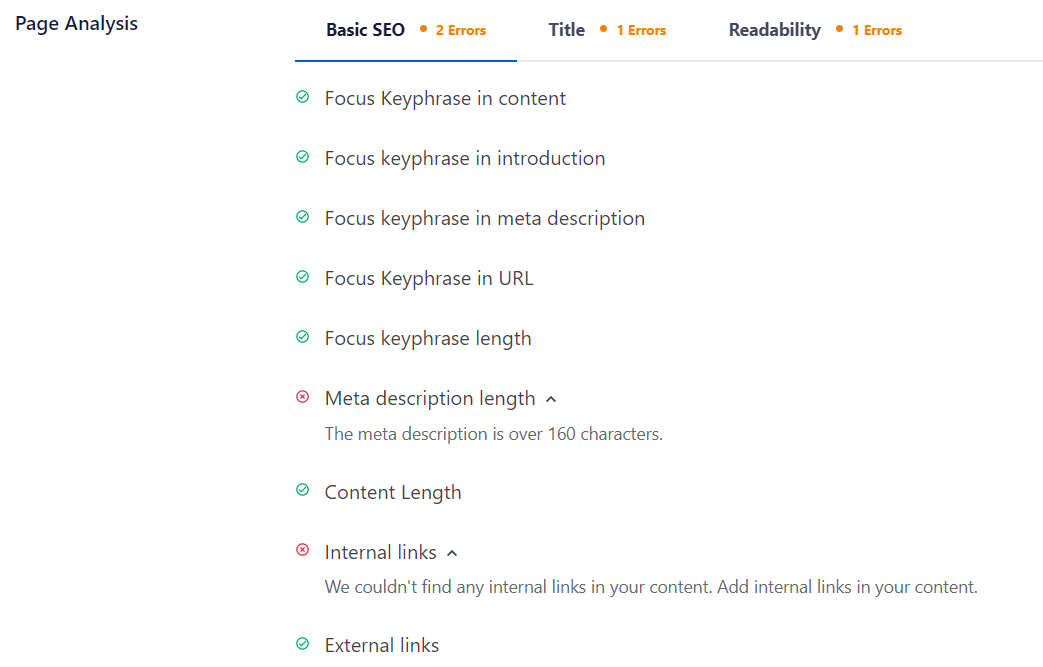
This makes it easy to optimize on-page SEO — improving meta titles, descriptions, keywords, and more — right from the post editor.
AIOSEO also automatically generates XML sitemaps for your site, so search crawlers can properly find and index your content. A built-in indexing status checker lets you spot and fix crawl issues without leaving WordPress.
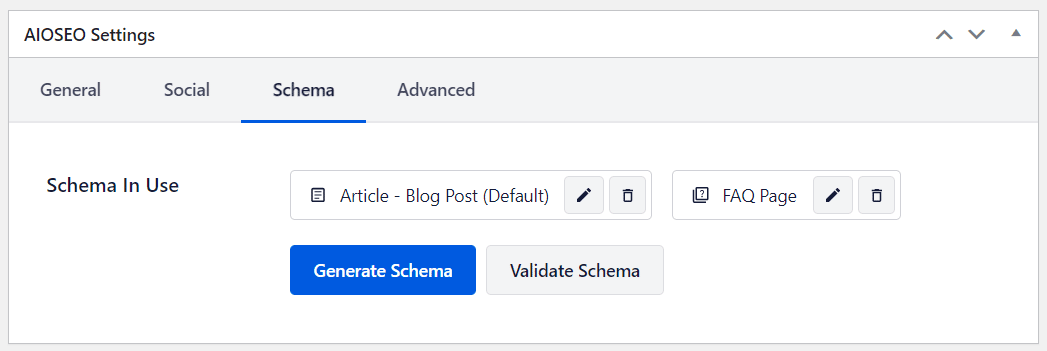
Schema setup — often a headache — is genuinely easy with AIOSEO. You can add FAQ schema, product schema, review schema, and more in a few clicks. For a deeper look, see our guide on schema markup in WordPress.
AIOSEO can also connect your site with Google Search Console and pull organic traffic reports right inside your WordPress dashboard.
MY TAKE
I’d reach for AIOSEO first for any WordPress site that needs a complete, no-fuss SEO foundation. The TruSEO score is genuinely useful — not just a traffic light, but a checklist that tells you specifically what to fix. The internal link assistant alone saves hours of manual work. If you’re managing SEO for multiple content types (posts, products, local pages), there’s no single plugin that handles all of it more cleanly.
PROS
- Covers on-page SEO, sitemaps, schema, and local SEO in one plugin
- TruSEO score provides actionable, specific feedback per post
- Internal link assistant reduces time spent on link building
- Native integration with MonsterInsights, Semrush, and WooCommerce
- Free version is genuinely useful, not just a teaser
CONS
- Some advanced features (keyword rank tracking, local SEO) are paid-only
- Feature set can feel overwhelming for brand-new users
- Content AI credits add ongoing cost if used heavily
Get started with All in One SEO (AIOSEO) today!
2. Yoast SEO — Best for Content Readability Optimization
BEST FOR: Content creators and bloggers who want real-time feedback on both SEO and readability as they write
KEY FEATURES: Content and SEO analysis, readability scoring, XML sitemaps, meta description editor, canonical URLs, breadcrumb control, internal linking suggestions
PRICING: Free version available; Yoast SEO Premium from $99/year
FREE PLAN / TRIAL: Yes — robust free version on WordPress.org
Yoast SEO is the plugin that made content readability a first-class SEO signal. It’s the strongest choice for writers who want live feedback on both how well they’re targeting a keyword and how easy their content is to read.
Yoast’s Content and SEO analysis checks every piece of content you write and scores it from two angles: how it looks to search engine bots, and how it reads to humans. That dual focus — SEO and readability — is what sets it apart from most of its competitors.
Beyond content analysis, Yoast lets you:
- Create and submit a Google XML sitemap for better indexing
- Add a focus keyword and see exactly how well your content targets it
- Edit the meta description that appears in search results
- Set canonical URLs to avoid duplicate content penalties
- Control site breadcrumbs for better navigation and indexing
The premium version adds internal linking suggestions, support for multiple focus keywords, and Google Search Console integration.
MY TAKE
In my experience, Yoast’s readability feedback genuinely makes you a better writer over time — the Flesch Reading Ease scores and passive voice checks push you toward clearer sentences whether or not you care about SEO. I’d reach for this if you’re running a content-heavy site where writing quality is as important as keyword targeting. That said, if you need deeper technical SEO or schema control, AIOSEO has more range.
PROS
- Dual SEO + readability analysis in real time as you write
- One of the most mature and trusted SEO plugins (10M+ installs)
- Free version covers the core SEO needs for most sites
- Strong community documentation and support resources
CONS
- Multiple focus keywords require the paid version
- Schema options are less flexible than AIOSEO
- Readability scores can feel prescriptive for experienced writers
Get started with Yoast SEO today!
3. SEOPress — Best Budget-Friendly SEO Plugin
BEST FOR: Site owners who want solid on-page SEO and schema features at a lower price point than the major alternatives
KEY FEATURES: Meta title/description editing, XML sitemaps, redirects, structured data schema, eCommerce integrations, broken link monitoring (premium)
PRICING: Free version available; SEOPress Pro from $49/year
FREE PLAN / TRIAL: Yes — free version available on WordPress.org
SEOPress is a capable SEO plugin with a free version that covers the basics well — title and meta description editing, XML sitemaps, and simple redirects. It won’t dazzle you with features, but it does the job cleanly.
Upgrading to SEOPress Pro unlocks more advanced capabilities: eCommerce integrations, broken link monitoring, and additional structured data schema types. Like AIOSEO, it can connect with Google Search Console — though that requires a separate plugin called SEOPress Insights.
SEOPress is a solid choice if you want the core on-page SEO toolkit without the premium price of the bigger players.
MY TAKE
I’d reach for SEOPress if budget is a real constraint and you don’t need the advanced schema or AI content features of AIOSEO. It’s one of those tools that does what it says on the label without a lot of noise. The catch is that Google Search Console integration lives in a separate plugin — a minor friction point that the competition has solved more elegantly.
PROS
- Affordable Pro pricing compared to AIOSEO and Yoast
- Clean, straightforward interface without feature overload
- Free version covers core on-page SEO needs well
- Good eCommerce SEO support on Pro
CONS
- Search Console integration requires a separate plugin
- Smaller ecosystem and community than Yoast or AIOSEO
- Fewer schema types than AIOSEO out of the box
Get started with SEOPress today!
4. Rank Math — Best for AI-Assisted Content Optimization
BEST FOR: Content creators who want AI-driven optimization suggestions alongside standard SEO features
KEY FEATURES: Content AI (AI-powered optimization suggestions), meta editing, schema markup, XML sitemaps, Google Search Console integration, rank tracking
PRICING: Free version available; Pro from $6.99/month
FREE PLAN / TRIAL: Yes — generous free version on WordPress.org
Rank Math covers familiar SEO territory — meta titles, descriptions, keyword optimization — but its Content AI feature sets it apart. It analyzes top-ranking pages for your target keyword and gives you real-time suggestions to close the gap.
One thing to know before you commit: Content AI runs on credits. Every account tier gets a monthly allocation, and once you use them up, you’ll need to purchase more. For sites publishing frequently, that’s a real cost to factor in.
If you want AI-powered content guidance baked right into your SEO plugin, Rank Math is the strongest option in the category.
MY TAKE
I find Rank Math works best for sites with a steady publishing cadence where the Content AI credits make sense to budget for. The free version is genuinely feature-rich — arguably more so than the free tiers from Yoast or AIOSEO. The credit model for Content AI is the main thing that gives me pause for high-volume publishers. Worth testing on the free tier before committing to a paid plan.
PROS
- Free version offers more features than most competitors’ free tiers
- Content AI gives real-time suggestions based on top-ranking pages
- Clean interface with a different look and feel from Yoast/AIOSEO
- Built-in rank tracking on paid plans
CONS
- Content AI credits add variable ongoing cost
- Can feel feature-dense for users who just want the basics
- Some users report heavier database queries than alternatives
Get started with Rank Math today!
Best SEO Analytics Tools
5. MonsterInsights — Best for Tracking SEO Performance Inside WordPress

BEST FOR: WordPress site owners who want to see how their SEO efforts are actually performing — traffic, keywords, and conversions — without leaving the dashboard
KEY FEATURES: GA4 integration, Search Console report, Site Speed report, Charlie Chat (plain-English Q&A with your analytics), Popular Posts, eCommerce tracking, affiliate link tracking
PRICING: Plus from $99.50/year; Pro from $199.50/year; Elite from $299.50/year
FREE PLAN / TRIAL: Yes — MonsterInsights Lite is free on WordPress.org
MonsterInsights, the WordPress analytics plugin, is the best tool for tracking how your SEO efforts are actually paying off. The other plugins on this list help you optimize your site — MonsterInsights tells you whether that optimization is working.
Google Analytics is the industry standard for web analytics, but GA4’s interface is dense and confusing for non-technical users. MonsterInsights solves that problem by connecting your WordPress site to Google Analytics and surfacing your most important data right inside your dashboard.
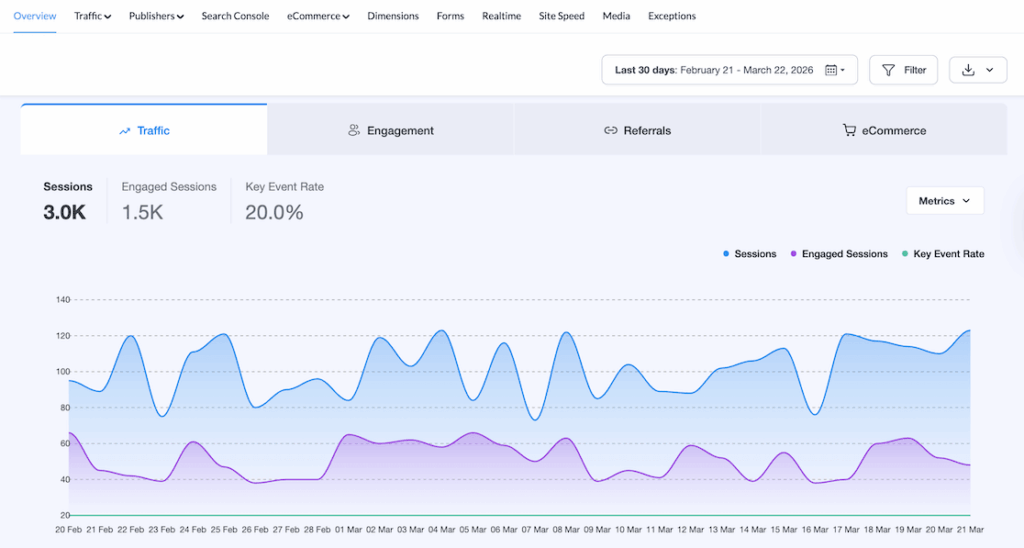
From an SEO standpoint, MonsterInsights shows you the metrics that matter most:
- Most popular content on your site
- Your site’s top organic search keywords via the Search Console integration
- Top referral sites sending traffic to you
- Top outbound links and affiliate link clicks
- Traffic channels — organic, direct, social, referral
- Top landing pages and campaign traffic
Our guide on measuring SEO performance in Google Analytics walks through exactly what to track and when.
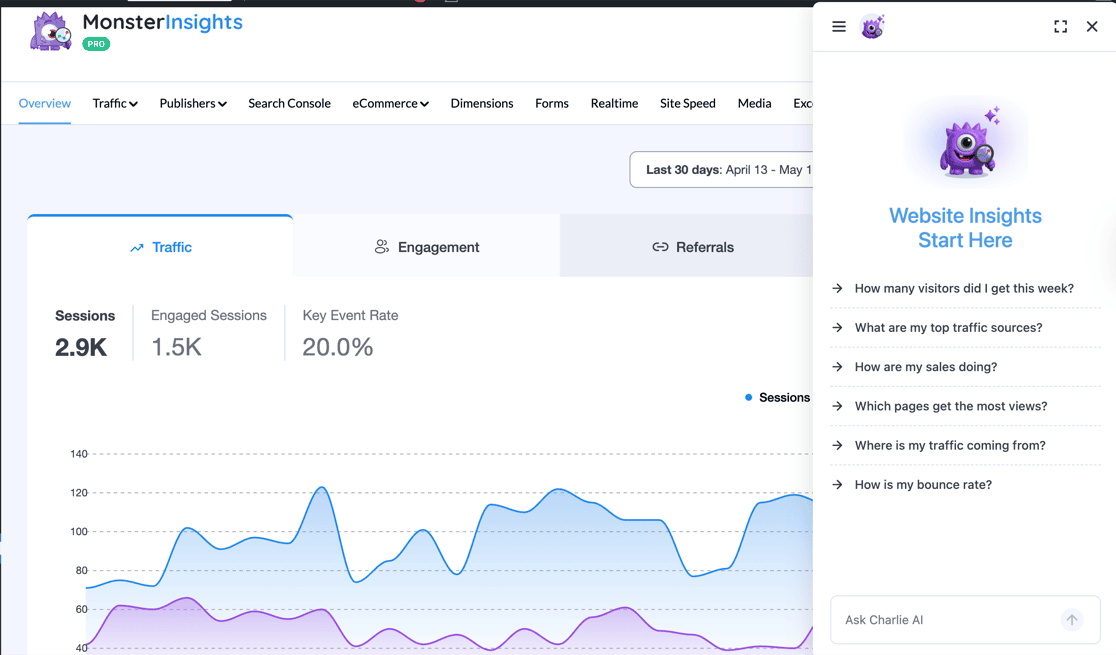
MonsterInsights also includes Charlie Chat — a plain-English Q&A interface for your Google Analytics data.
You can ask things like “which pages got the most traffic last month?” and get a direct answer inside your WordPress dashboard, without opening GA4. It’s available free on all plans, including Lite.
MonsterInsights also integrates directly with All in One SEO, Yoast SEO, and Semrush, so you can track on-page SEO scores, focus keywords, and competitor keyword data alongside your analytics — all in one place.
MY TAKE
I’d reach for MonsterInsights any time someone asks “is my SEO actually working?” The other plugins on this list help you optimize — MonsterInsights tells you whether it’s paying off. The Search Console integration is particularly valuable: seeing your top keywords, click-through rates, and average position without logging into GSC saves real time. Charlie Chat makes it even faster — you just ask what you want to know and get a direct answer.
PROS
- Surfaces the most important SEO data inside WordPress — no GA4 required
- Charlie Chat answers plain-English questions about your analytics instantly
- Search Console report shows keywords, CTR, and position in one view
- Integrates with AIOSEO, Yoast, and Semrush for combined SEO+analytics reporting
- 1-click eCommerce tracking for WooCommerce (Pro)
CONS
- Requires a Google Analytics account — not a standalone analytics solution
- Advanced reports (eCommerce, Forms, Custom Dimensions) are Pro-only
- Not an SEO plugin — it measures performance, it doesn’t optimize pages
Get started with MonsterInsights today!
6. Google Search Console — Best Free Tool for Organic Search Data
BEST FOR: Every WordPress site owner — this is essential, free Google data you can’t get anywhere else
KEY FEATURES: Search queries and click data, indexing status, sitemap submission, mobile usability, Core Web Vitals, manual actions alerts, backlink data
PRICING: Free
FREE PLAN / TRIAL: Yes — completely free, no paid tier
If you’re not using Google Search Console, you’re missing out on data that no third-party tool can replicate. It’s straight from Google — and it’s free.
Search Console tells you exactly how your site performs in Google’s index. You can:
- Submit a sitemap and request indexing for new content
- Hide content from Google to prevent duplicate content issues
- Find and fix malware and manual action penalties
- See which search terms bring people to your pages
- Find out which sites are linking to you
- Check mobile usability and Core Web Vitals scores
For setup instructions, see our guide on how to connect your WordPress site with Google Search Console. Once connected, if you use MonsterInsights, you can view your top search terms, clicks, impressions, CTR, and average position right inside your WordPress dashboard via the Search Console Report — without logging into GSC at all.
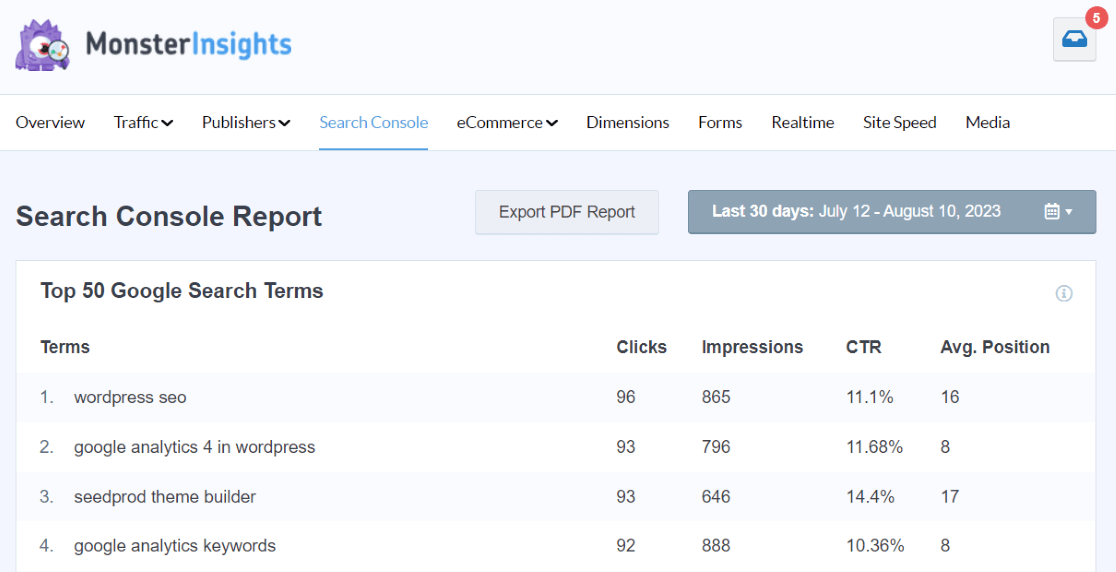
For a deeper look at what you can uncover in GSC, see our guide on Search Console reports that boost your SEO.
MY TAKE
I consider Search Console non-negotiable — it’s the only place you’ll find your actual Google impression and click data. In my experience, keyword opportunity mining is where it pays off most: you’ll find pages with high impressions but low CTR, which means you’re ranking but not compelling people to click. That’s a headline or meta description fix waiting to happen. Use our guide on Google Search Console for keyword research to get the most from it.
PROS
- Completely free — no paid tier needed
- First-party Google data no third-party tool can match
- Surfaces security issues and manual actions before they tank your rankings
- Core Web Vitals report shows real-user performance data
CONS
- Interface can be overwhelming for beginners
- Data is delayed by 2–3 days
- Keyword data is sampled and anonymized (some queries hidden)
Get started with Google Search Console today!
7. Google PageSpeed Insights — Best Free Site Speed Diagnostic Tool
BEST FOR: Any site owner who needs to diagnose speed problems and understand which fixes will have the biggest SEO impact
KEY FEATURES: Core Web Vitals scores (LCP, INP, CLS), performance diagnostics, mobile and desktop separate scores, actionable recommendations
PRICING: Free
FREE PLAN / TRIAL: Yes — completely free
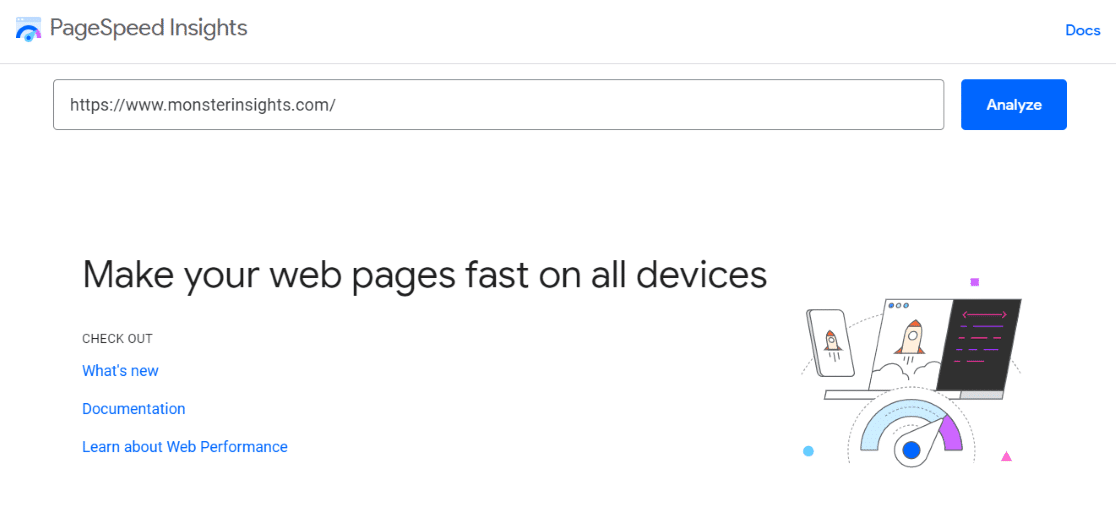
Site loading time is a direct Google ranking factor. Google PageSpeed Insights is the free tool that tells you exactly how fast (or slow) your site is — and what to fix.
Enter any URL and PageSpeed Insights returns a detailed report showing your Core Web Vitals scores for both mobile and desktop. Each issue comes with a specific recommendation — not just “your site is slow,” but exactly which resources are causing the problem and how much time each fix would save.
If you use MonsterInsights, you can see the most important speed metrics directly inside your WordPress dashboard. The Site Speed report shows your overall score, mobile and desktop loading times, and actionable recommendations — without leaving WordPress.
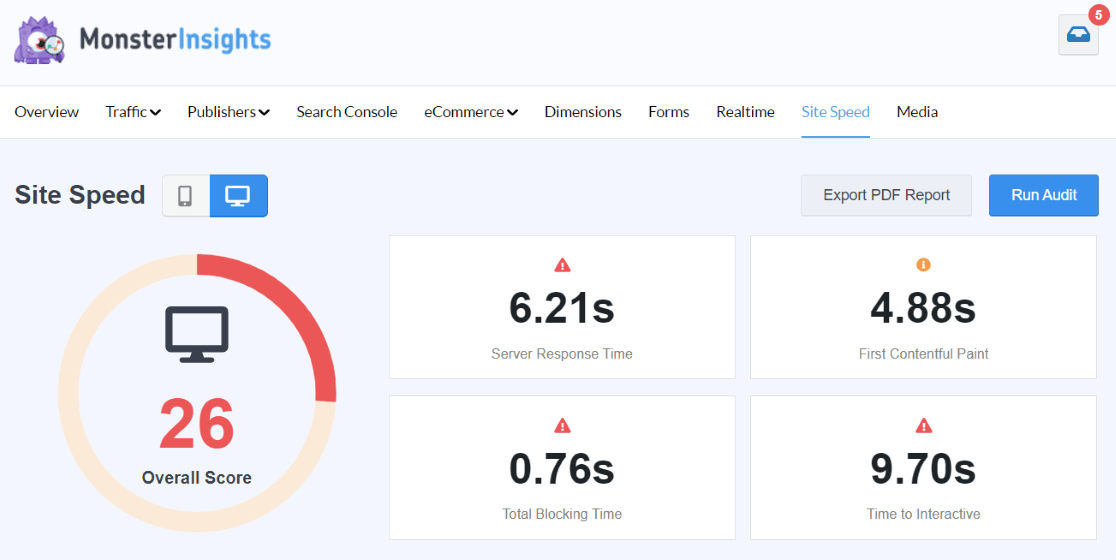
For a broader look at why speed matters for rankings, see our guide on Core Web Vitals and how to improve them.
MY TAKE
I run PageSpeed Insights any time a client asks why their rankings are stagnant. Speed problems are often invisible until you actually measure — a 6-second mobile load time can look fine on your desktop connection. What I appreciate about PageSpeed Insights is the specificity: it tells you exactly what’s slow and estimates how much time each fix saves, which makes it easy to prioritize. Pair it with the MonsterInsights Site Speed report for an ongoing view, not just a one-time check.
PROS
- Free, no account required
- Real-user Core Web Vitals data from Google’s CrUX dataset
- Specific, actionable recommendations with estimated savings
- Separate mobile and desktop scores reflect how Google actually evaluates your site
CONS
- Lab scores can differ significantly from real-user field data
- Recommendations require technical knowledge to act on without a plugin
- One-time snapshot only — doesn’t track changes over time
Get started with PageSpeed Insights today!
8. SEOquake — Best Free Browser Extension for Quick SEO Audits
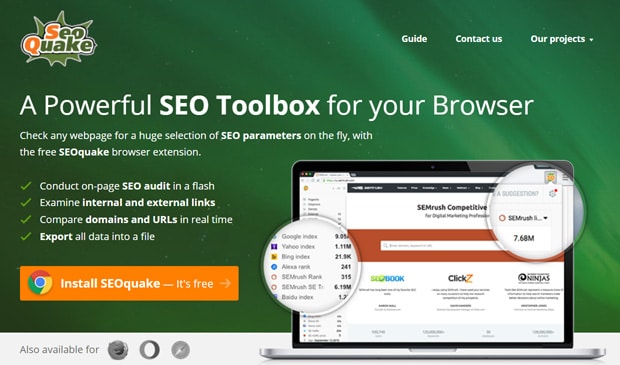
BEST FOR: Site owners and SEOs who want instant on-page SEO data and competitor analysis without leaving the browser
KEY FEATURES: On-page SEO audit, SERP overlay with metrics, link examiner (internal/external), backlink data, domain/page metrics, competitor research
PRICING: Free browser extension
FREE PLAN / TRIAL: Yes — free
SEOquake is a browser extension made by Semrush that surfaces key SEO metrics for any page or domain — right in your browser window. Install it on Chrome, Firefox, Safari, or Edge and you get instant access to on-page data without opening a separate tool.
SEOquake’s link examiner shows details on both internal and external links for any page you visit. You can also view a page’s backlink count, last crawled date, and domain-level metrics. For quick competitor research or a rapid SEO audit, it’s one of the most efficient free tools available.
MY TAKE
SEOquake isn’t a replacement for a full audit platform, but when you’re browsing a competitor’s site or checking a page before outreach, having the domain authority, backlink count, and indexing data a click away is genuinely useful. It’s the kind of tool that pays for itself (in time saved) the moment you stop having to switch between browser tabs to get basic metrics.
PROS
- Free with no usage limits
- Works across Chrome, Firefox, Safari, and Edge
- On-page audit feature identifies SEO issues without a separate tool
- SERP overlay adds metrics directly to Google search results
CONS
- Data depth is limited compared to paid tools like Semrush or Ahrefs
- Can clutter the browser interface if you don’t need it constantly
- No historical data or rank tracking
Get started with SEOquake today!
The Right Toolkit Depends on Your Goal
The first four tools (AIOSEO, Yoast, SEOPress, Rank Math) optimize your pages. The next four (MonsterInsights, Search Console, PageSpeed Insights, SEOquake) measure performance and diagnose problems. Most successful SEO strategies need at least one from each category — optimizing without measuring is flying blind, and measuring without optimizing doesn’t move the needle.
Best SEO Keyword Research Tools
9. SEOBoost — Best for Content Optimization from Research to Publishing
BEST FOR: Content marketers who want a single platform to research, write, optimize, and manage SEO content
KEY FEATURES: Content reports (word count, reading level, keyword frequency), content optimization scoring, heading analysis, topic management
PRICING: Starts at $20/month
FREE PLAN / TRIAL: Free trial available
SEOBoost is an AI-powered content optimization platform that takes you from keyword research all the way through writing and managing your SEO content — in one place.
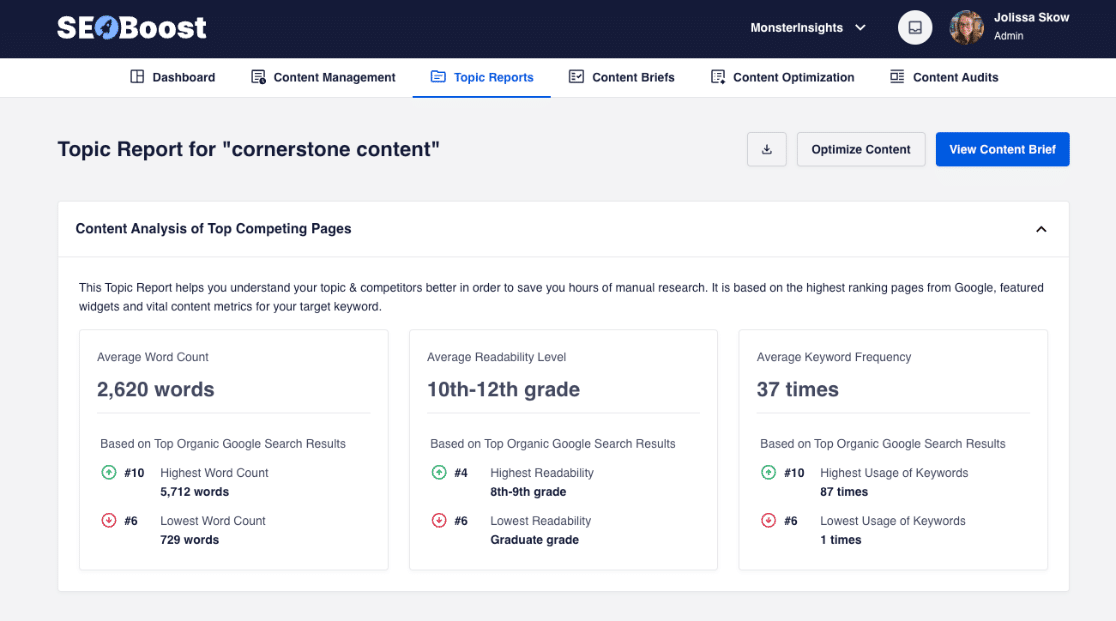
Start with a content report to see exactly what the top-ranking pages for your focus keyword look like: average word count, reading level, and keyword frequency. That gives you a benchmark before you write a single sentence.
Then move to the Content Optimization tab to see which keywords you’re missing, how your readability stacks up against competitors, whether your headings are optimized, and more.
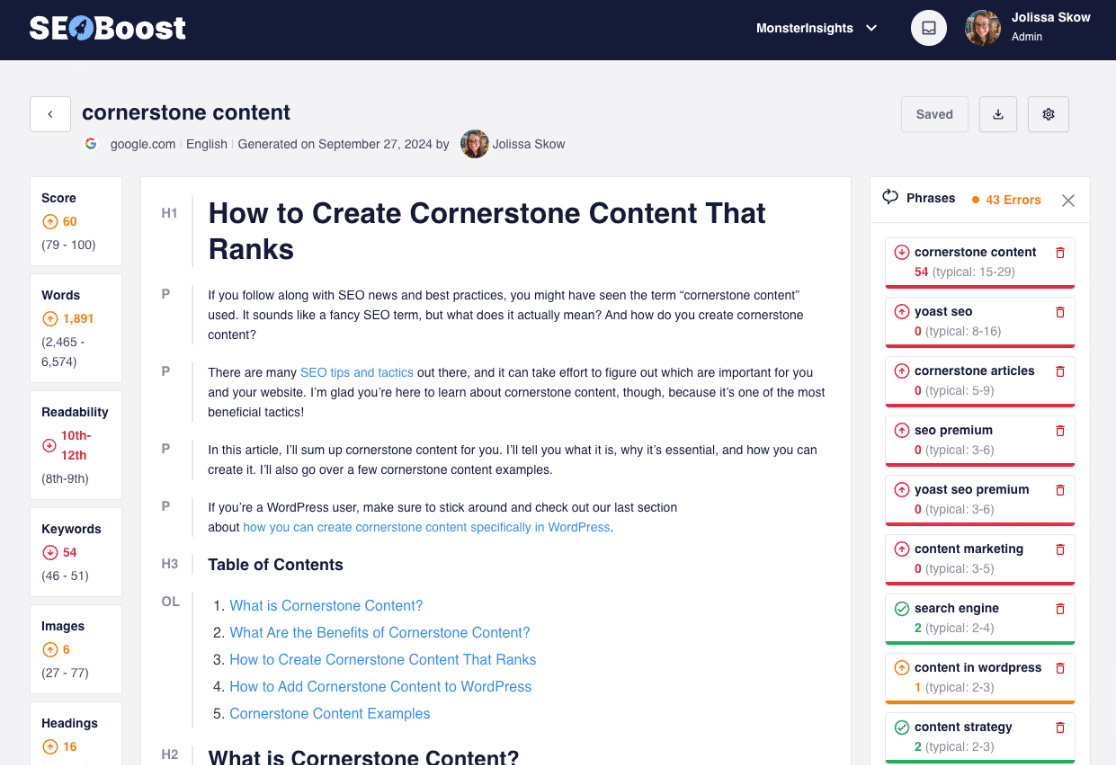
SEOBoost goes well beyond simple keyword research — it’s a full content workflow platform for sites that produce SEO content regularly.
MY TAKE
I’d reach for SEOBoost when you’re producing SEO content at scale and need a workflow that goes beyond just a plugin. The content report feature is particularly strong — comparing your draft against the top-ranking pages before you publish helps you avoid missing obvious topical gaps. It’s less useful for occasional publishers, since the real value comes from running it consistently across many pieces of content.
PROS
- Covers the full content lifecycle from research through optimization
- Competitor benchmarking helps you understand exactly what to aim for
- Keyword and phrase suggestions based on real SERP analysis
- Topic management keeps your content calendar organized around SEO priorities
CONS
- Overkill for bloggers or sites publishing occasionally
- Monthly cost adds up if you’re not using it consistently
- Smaller community and fewer integrations than Semrush or Ahrefs
Get started with SEOBoost today!
10. Semrush — Best All-in-One SEO and Competitive Research Platform
BEST FOR: SEO professionals, agencies, and serious site owners who need deep keyword research, competitor analysis, and backlink intelligence in one platform
KEY FEATURES: Keyword research, competitor keyword analysis, backlink auditing, rank tracking, site audit, content marketing toolkit, Writing Assistant WordPress plugin
PRICING: Pro plan from $139.95/month; limited free account available
FREE PLAN / TRIAL: Limited free account (10 searches/day); 7-day free trial on paid plans
Semrush is the platform SEO professionals reach for when they need the full picture — keyword data, competitor insights, backlink analysis, site auditing, and content tools all under one roof.
For keyword research alone, Semrush is one of the deepest tools available. You can analyze any keyword for search volume, trend data, difficulty, and CPC — then use that data to decide what to create, what to bid on in Google Ads, and what your competitors are already targeting.
The competitor research tools are where Semrush really earns its price. Enter any competitor URL and see their top-ranking keywords, estimated traffic, backlink profile, and even the ads they’re running. That information helps you find gaps, steal ranking opportunities, and develop strategies your competition hasn’t thought of yet.
Semrush also provides a WordPress plugin called Writing Assistant that brings optimization suggestions directly into the WordPress editor.
MY TAKE
In my experience, Semrush is the tool that transforms SEO from guessing into a data-driven process. The competitor keyword gap tool is particularly valuable — it shows you keywords your competitors rank for that you don’t, which is one of the fastest ways to find quick-win content opportunities. The price is significant, but for anyone doing SEO professionally or running a content-driven business, it pays for itself quickly.
PROS
- Industry-leading keyword database and competitive intelligence
- Covers SEO, content, social media, and paid traffic in one subscription
- Writing Assistant WordPress plugin brings suggestions into the editor
- Site audit tool identifies technical SEO issues across the whole site
CONS
- Expensive — Pro plan starts at $139.95/month
- Feature set is overwhelming for beginners
- Some data limitations in lower-traffic niches
Get started with Semrush today!
11. Ahrefs — Best for Backlink Analysis and Keyword Research

BEST FOR: Site owners and SEOs who prioritize backlink research, competitor keyword analysis, and organic search growth
KEY FEATURES: Backlink explorer, organic keyword research, competitor analysis, rank tracking, site audit, content explorer, SERP history
PRICING: Starter plan from $29/month; Lite from $129/month
FREE PLAN / TRIAL: Ahrefs Webmaster Tools free (for your own site only)
Ahrefs is the tool most SEO professionals turn to first when they want to understand the link landscape — either for their own site or a competitor’s. Its backlink index is one of the largest and freshest in the industry.
For organic keyword research, Ahrefs shows your top ranking keywords, their SERP position, rank movement over time, and the competing pages you’re up against. The Content Explorer tool lets you find the most-shared and most-linked content in any niche — a goldmine for content ideation.
Advanced backlink analysis shows the full link profile for any site: all inbound links, anchor text distribution, referring domain count, and which pages attract the most links. That data drives more targeted outreach and helps you understand what it takes to compete in your space.
MY TAKE
I find Ahrefs and Semrush are often compared directly, and honestly both are excellent. Ahrefs has a slight edge on backlink data quality and SERP history — if link building is a core part of your strategy, Ahrefs is the one I’d reach for. The Ahrefs Webmaster Tools free tier is also worth setting up even if you don’t pay for the full platform, since it gives you backlink and keyword data for your own site at no cost.
PROS
- Industry-best backlink index — large, fresh, and well-organized
- SERP history shows how rankings have changed over time
- Content Explorer is excellent for content ideation
- Free Webmaster Tools tier for your own site
CONS
- No free tier for competitor research — you need a paid plan
- Pricing is similar to Semrush, so you’ll want to choose one main platform
- No PPC or social media tools (more SEO-focused than Semrush)
Get started with Ahrefs today!
12. Google Keyword Planner — Best Free Tool for Search Volume Data
BEST FOR: Site owners who want Google’s own keyword search volume data without paying for a third-party tool
KEY FEATURES: Keyword search volume, competition level, bid estimates, keyword suggestions, trend data
PRICING: Free (requires a Google Ads account)
FREE PLAN / TRIAL: Yes — free, no spending required
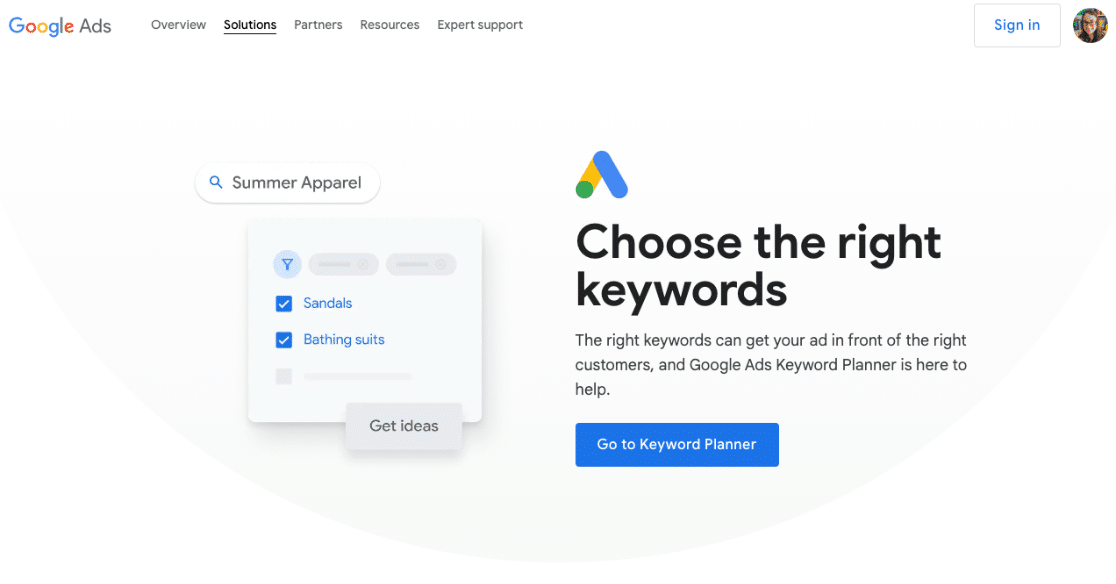
Google Keyword Planner was designed for advertisers, but it’s one of the most useful free keyword research tools for SEO too. The data comes straight from Google — no estimation required.
Enter keywords, phrases, or a URL related to your business, and Keyword Planner returns average monthly search volumes, competition levels, and bid estimates. The competition and bid data is meant for advertisers, but it’s a proxy for how competitive a keyword is — high bids usually signal high commercial intent.
You’ll need a Google Ads account to access it, but you can pause or never run any ads — the tool is free to use even with $0 in spend. For step-by-step instructions, see our guide on how to use Google Keyword Planner.
MY TAKE
I use Keyword Planner as a sanity check more than a primary research tool. When a third-party tool shows a surprising search volume for a keyword, I’ll cross-reference it here. The data is from Google itself, which is as authoritative as it gets — the catch is that volumes are shown in ranges (not exact numbers) unless you’re actively running ads, which limits its usefulness for precise planning. Pair it with a free tool like Google Search Console for the most accurate keyword picture.
PROS
- Free — the data comes straight from Google
- Keyword suggestions can surface terms you wouldn’t have thought of
- Bid data is a useful proxy for commercial keyword intent
- Trend data shows seasonal demand patterns
CONS
- Search volumes shown in broad ranges unless you’re an active advertiser
- Requires a Google Ads account (though no spending is needed)
- No competitor analysis, backlink data, or rank tracking
Get started with Google Keyword Planner today!
Additional SEO Tools for WordPress
13. Broken Link Checker — Best for Automated Broken Link Detection
BEST FOR: WordPress sites with a large content archive that need automatic broken link detection and easy in-place fixing
KEY FEATURES: Automatic broken link scanning, internal and external link validation, inline editing to fix links, stops search engines from following bad links
PRICING: Free version available; AIOSEO Broken Link Checker Pro from $49.60/year
FREE PLAN / TRIAL: Yes — free version on WordPress.org
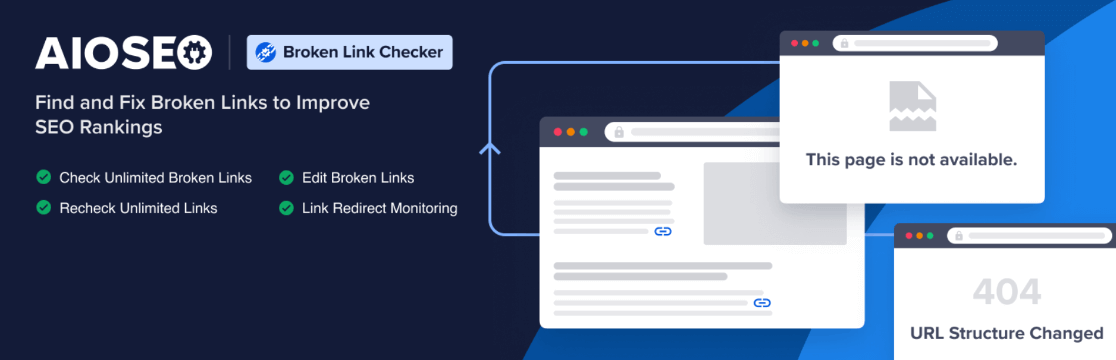
Broken Link Checker is a WordPress plugin from AIOSEO that automatically scans your content for broken links and lets you fix them without opening individual posts.
Broken links create a terrible user experience — and Google treats them as a signal of poor site maintenance, which can hurt your rankings. On a site with hundreds of posts, manually auditing every link is impractical. Broken Link Checker handles this automatically: it scans your full content archive, alerts you to bad links, and lets you use inline editing to fix them in place. It also prevents search engines from following broken links until they’re fixed, which protects your link equity while you work through the fixes.
For more on how link health affects SEO, see our guide on finding broken links with Google Analytics.
MY TAKE
I’d recommend this to any site owner with more than 50 posts. Broken links accumulate faster than you’d expect — external sites change URLs, content gets removed, and old links go stale. The inline fix feature is what makes this tool genuinely time-saving: instead of opening each post, finding the broken link, and editing it, you fix it directly from the plugin’s interface. That’s hours saved on a large site.
PROS
- Automatic scanning — no manual audit required
- Inline link editing saves significant time on large sites
- Blocks search engines from following bad links during the fix period
- Free version covers the core functionality
CONS
- Can increase server load on large sites during scans
- Some false positives on redirect chains or slow external URLs
- Advanced features (scheduled reports, more granular control) require the Pro version
Get started with Broken Link Checker today!
14. Moz Link Explorer — Best for Backlink Research and Domain Authority Scoring
BEST FOR: Site owners who want backlink research and Moz’s Domain Authority scores without committing to a full Semrush or Ahrefs subscription
KEY FEATURES: Backlink analysis, Page Authority and Domain Authority scores, lost and broken link detection, top-performing content discovery, competitor link research
PRICING: 10 free queries/month; Moz Pro from $99/month
FREE PLAN / TRIAL: Yes — 10 queries/month free; 30-day free trial on Moz Pro
Link Explorer is Moz’s off-page SEO tool, and it’s particularly valuable for its Domain Authority and Page Authority scores — metrics that have become a standard benchmark for evaluating link quality and site credibility.
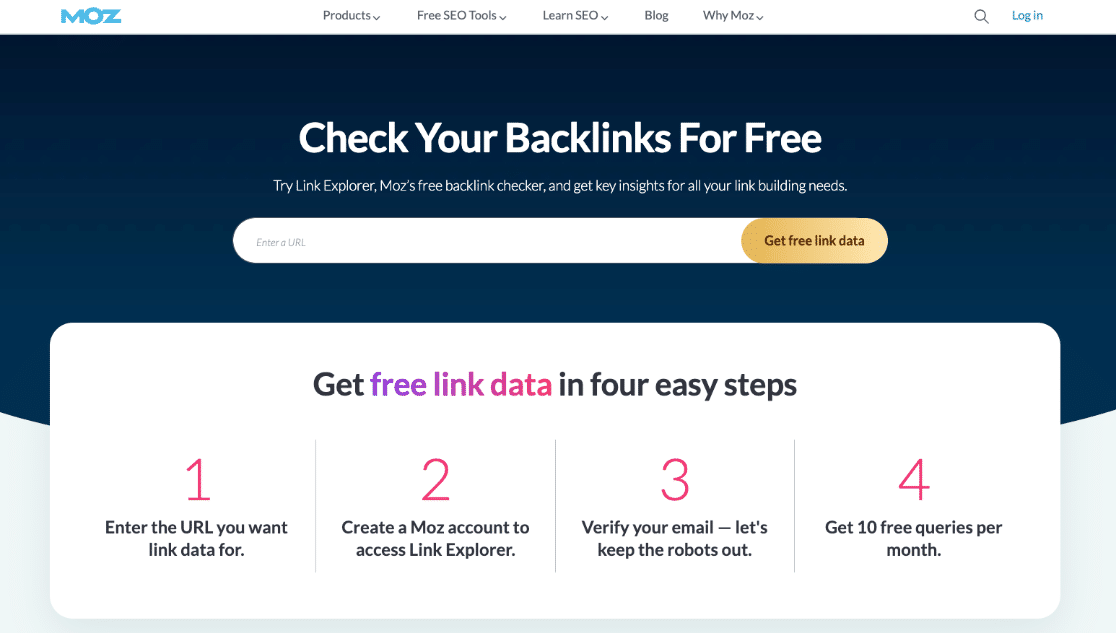
The number and quality of backlinks pointing to your site are a major factor in search engine rankings. Link Explorer lets you see all the links pointing to any page or domain — yours or a competitor’s — so you can identify the best outreach targets and spot gaps in your link profile.
With a free Moz account, you get 10 queries per month — enough for occasional competitive research. Full access to historical data and unlimited queries requires a Moz Pro subscription.
MY TAKE
I find Link Explorer most useful for a quick gut-check on a potential link target — DA/PA scores are widely understood benchmarks even if they’re not Google’s own metrics. For serious link building campaigns, Ahrefs or Semrush have deeper data. But if you just need to evaluate a handful of outreach targets each month, the 10 free queries go a long way.
PROS
- Domain Authority score is widely understood in the SEO community
- Lost link detection helps you reclaim valuable links you’ve lost
- 10 free queries/month is useful for casual research
- Top content discovery helps identify what earns links in your niche
CONS
- Backlink index is smaller than Ahrefs or Semrush
- Free tier severely limits research depth (10 queries/month)
- DA/PA are Moz’s own metrics — not Google’s, so they’re proxies, not absolutes
Get started with Link Explorer today!
15. WP Rocket — Best WordPress Caching Plugin for Speed Optimization
BEST FOR: WordPress site owners who want the fastest, most effective caching plugin with minimal configuration
KEY FEATURES: Page caching, cache pre-loading, gzip compression, lazy load images, CDN integration, DNS pre-fetching, database optimization
PRICING: From $59/year (single site)
FREE PLAN / TRIAL: No free version — paid only
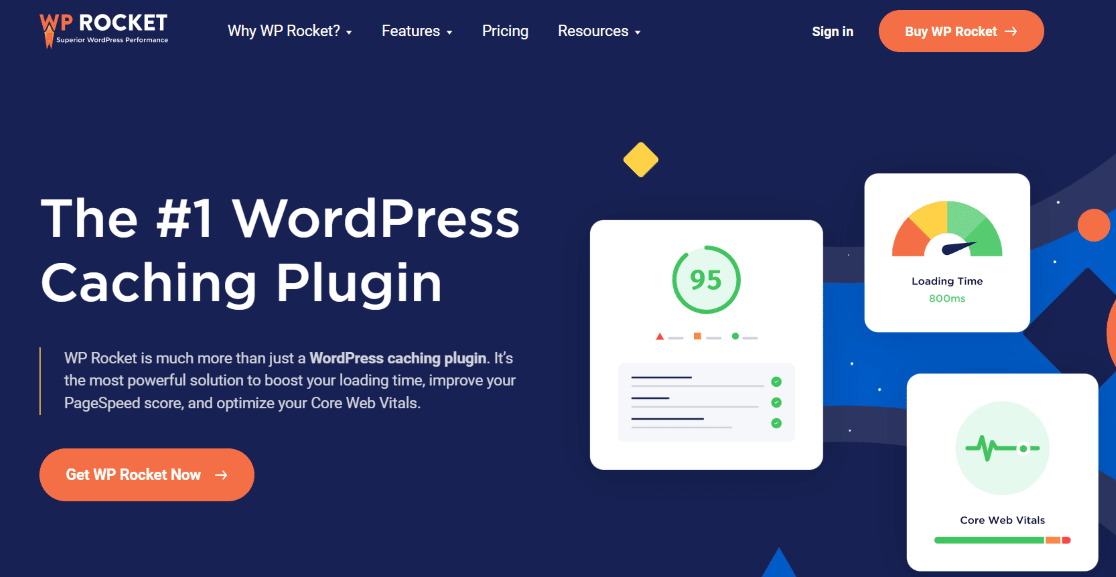
WP Rocket is the most popular WordPress cache plugin and one of the most effective ways to improve your site’s speed scores. Since page speed is a confirmed Google ranking factor, a quality caching plugin belongs on almost every WordPress site.
WP Rocket works right out of the box — install it and your site immediately benefits from page caching, cache pre-loading, and gzip compression. More advanced features like lazy image loading, CDN integration, and DNS pre-fetching take a few clicks to enable and can further push your Core Web Vitals scores into the green. For a roundup of alternatives, see our list of the best plugins to speed up WordPress sites.
MY TAKE
WP Rocket is the caching plugin I recommend without hesitation. The “it just works” aspect is its strongest selling point — most free caching plugins require a developer to configure properly for meaningful gains. WP Rocket gives you measurable speed improvements from the moment you activate it, which matters if you’re trying to move Core Web Vitals scores before a deadline. The paid-only model is its main limitation for budget-conscious users.
PROS
- Works out of the box with immediate speed improvements
- Comprehensive feature set: caching, lazy load, CDN, database cleanup
- Well-supported with regular updates
- Compatible with most WordPress themes and hosting providers
CONS
- No free version — requires a paid license
- Annual renewal required to keep updates and support
- Can conflict with some page builders if not configured carefully
Get started with WP Rocket today!
16. Schema Pro — Best for Automating Rich Snippet Schema Markup
BEST FOR: WordPress sites that need automated schema markup across many pages — especially review sites, recipe blogs, event sites, and local businesses
KEY FEATURES: One-click schema setup, automated schema across post types, 20+ schema types (review, recipe, FAQ, product, event, local business), no-code configuration
PRICING: From $67/year (single site)
FREE PLAN / TRIAL: No free version
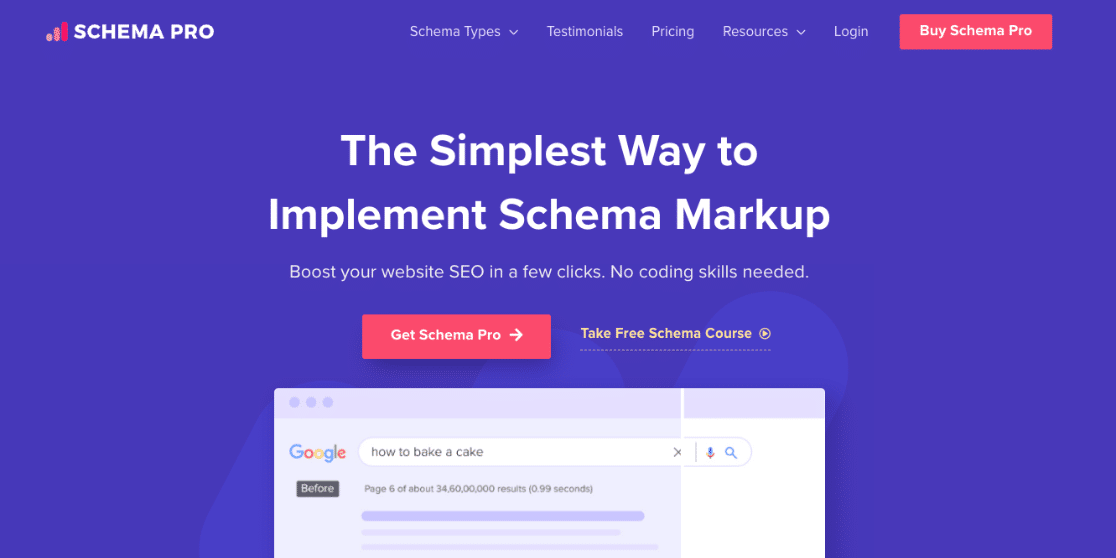
Schema Pro is a dedicated schema plugin for WordPress that makes it easy to add structured data markup to your site — with zero coding required.
Schema markup helps your content qualify for rich results in Google’s search results — star ratings for reviews, recipe cards, FAQ dropdowns, event details, and more. These rich snippets increase your visibility and click-through rates even when you’re not in the top position.
Schema Pro’s automation sets it apart: you configure the schema type once for a post type or category, and it applies across all matching content automatically. That’s the difference between spending an hour on schema setup versus spending a week. For a deeper look, see our guide on schema markup in WordPress.
MY TAKE
I’d reach for Schema Pro specifically when a site has a content type that clearly benefits from rich snippets — review sites, recipe blogs, local business directories, event listings. The automation feature is the real win: setting it up once and having it apply retroactively across hundreds of posts is the kind of efficiency that makes a meaningful difference in how quickly you see results in search. If your SEO plugin already covers basic schema (like AIOSEO does), you may not need a separate plugin — but for dedicated schema automation, Schema Pro is the best option.
PROS
- Automated schema across post types saves hours of manual work
- 20+ schema types covering most use cases without code
- Retroactively applies schema to existing content
- Clean interface that non-technical users can navigate
CONS
- No free version — paid only
- Redundant if your main SEO plugin already handles the schema types you need
- Annual renewal required for continued updates
Get started with Schema Pro today!
A Quick Overview of the Best SEO Plugins and Tools
| PRODUCT NAME | BEST FOR | STARTING PRICE |
|---|---|---|
| All in One SEO (AIOSEO) | Best all-in-one SEO plugin for WordPress | Free / From $49.60/yr |
| Yoast SEO | Best for content readability optimization | Free / From $99/yr |
| SEOPress | Best budget-friendly SEO plugin | Free / From $49/yr |
| Rank Math | Best for AI-assisted on-page suggestions | Free / From $69/yr |
| MonsterInsights | Best for tracking SEO performance in WordPress | Free / From $99.50/yr |
| Google Search Console | Best free tool for search performance data | Free |
| Google PageSpeed Insights | Best for diagnosing Core Web Vitals issues | Free |
| SEOquake | Best free browser-based SEO audit tool | Free |
| SEOBoost | Best for AI-powered content optimization | From $19/mo |
| Semrush | Best for advanced keyword and competitor research | From $139.95/mo |
| Ahrefs | Best for backlink analysis and competitor research | From $129/mo |
| Google Keyword Planner | Best free keyword research tool | Free |
| Broken Link Checker | Best for automated broken link detection | Free / From $7.99/mo |
| Moz Link Explorer | Best for off-page backlink research | Free / From $99/mo |
| WP Rocket | Best WordPress caching plugin for SEO speed | From $59/yr |
| Schema Pro | Best for no-code schema markup | From $79/yr |
Which SEO Plugins Should You Use?
Sixteen tools is a lot — and most WordPress sites don’t need all of them. The good news is that a short, well-matched stack covers almost everything. Here’s a straightforward framework for choosing what actually belongs in yours.
If you want one plugin that handles everything: Go with AIOSEO. It covers meta tags, sitemaps, schema, internal linking suggestions, and redirects in a single install. Yoast SEO and Rank Math are strong alternatives if you prefer their interfaces — any of the three will serve you well as your primary on-page SEO plugin.
If you’re on a tight budget: Start with the free version of AIOSEO, Rank Math, or Yoast — all are genuinely capable without upgrading. Add Google Search Console and Google Keyword Planner (both completely free) for search performance data and keyword research. This zero-cost stack gets you surprisingly far.
If keyword research and competitive analysis matter to you: Semrush or Ahrefs. They’re not cheap, but there’s no free tool that matches their depth. If you’re just starting out, Google Keyword Planner plus a free Semrush account gets you surprisingly far before you need to commit to a paid plan.
If your site is slow: WP Rocket. Page speed is a confirmed ranking factor, and WP Rocket is the most effective single-install fix for most WordPress sites. It’s one of the few plugins where the upgrade pays for itself quickly.
For measuring whether your SEO is actually working: This is where MonsterInsights fits in — and it’s a different kind of tool from everything else on this list. It doesn’t optimize your content; it shows you what’s happening after you publish.
Connect it to Google Analytics and you’ll see exactly which search terms are sending traffic, which pages are ranking, and whether your optimization efforts are translating into real visitors. We’d recommend pairing it with whichever on-page SEO plugin you choose — AIOSEO and MonsterInsights in particular have a native integration that lets you track TruSEO scores alongside traffic data.
The right stack depends on your goals, but for most WordPress sites, an on-page SEO plugin plus MonsterInsights covers the essentials.
FAQs About the Best SEO Plugins for WordPress
What is the best SEO plugin for WordPress?
All in One SEO (AIOSEO) is our top pick for an all-in-one SEO plugin. It covers on-page optimization, XML sitemaps, schema markup, local SEO, and keyword rank tracking in one plugin — without requiring a developer to set it up. Over 3 million WordPress sites use it, and its TruSEO scoring system gives actionable, specific feedback for every post and page you publish.
Do I need an SEO plugin if I already use Google Search Console?
Yes — they serve different purposes. Google Search Console shows you how your site performs in Google’s index after the fact: impressions, clicks, rankings, and crawl errors. An SEO plugin like AIOSEO or Yoast SEO works inside WordPress to help you optimize content before it’s published — managing meta titles, descriptions, schema markup, and sitemaps. You need both: the plugin to optimize, and Search Console to measure results.
Can I use more than one SEO plugin at the same time?
Generally, no — running two full SEO plugins like AIOSEO and Yoast simultaneously will cause conflicts, particularly around meta tags and sitemaps. Choose one primary SEO plugin. You can, however, use a dedicated schema plugin like Schema Pro alongside your main SEO plugin without conflict, since its function doesn’t overlap in the same way. Similarly, MonsterInsights (an analytics plugin) works alongside any SEO plugin with no conflicts.
Is Yoast SEO or AIOSEO better for WordPress?
Both are excellent, and the right choice depends on what you prioritize. Yoast is stronger if content readability feedback matters to you — its live readability analysis is unique and genuinely useful for writers. AIOSEO has an edge on technical SEO features: more schema types, a more powerful internal link assistant, and stronger local SEO tools. For most site owners, AIOSEO offers more value overall. For bloggers who want writing guidance alongside SEO scoring, Yoast is the stronger choice.
What SEO tools do I actually need to start seeing results?
For most WordPress site owners, three tools cover 90% of your needs: (1) an SEO plugin like AIOSEO to optimize your pages, (2) Google Search Console to see how you’re ranking and find keyword opportunities, and (3) an analytics plugin like MonsterInsights to track which content and channels are actually driving results. Everything else on this list — Semrush, Ahrefs, SEOBoost — adds depth for specific use cases once the basics are working.
How does site speed affect SEO rankings?
Google uses Core Web Vitals — a set of speed and user experience metrics — as a ranking signal. Slow sites have higher bounce rates, lower engagement, and Google directly accounts for page experience in its rankings. Tools like Google PageSpeed Insights and WP Rocket (a caching plugin) work together: PageSpeed Insights identifies what’s slowing your site down, and WP Rocket implements the fixes — caching, compression, lazy loading — that bring your scores up.
If you’re building out your WordPress SEO toolkit, these guides are worth bookmarking next:
- How to Use Google Search Console for Keyword Research
- Quick-Start Guide to Topical Authority in SEO
- The Beginner’s Guide to Search Engine Visibility
- Best Free Keyword Generator Tools to Master SEO
- WordPress SEO Checklist: Simple Steps
- How to Increase Organic Traffic (Best Ways)
Follow us on Twitter, Facebook, and YouTube for more Google Analytics tips.